Let's cut through the jargon. At its heart, user experience (UX) design is all about how someone feels when they interact with your product or service. It's the invisible architecture behind a website, app, or even a self-service kiosk that makes the entire journey feel smooth, intuitive, and genuinely helpful.
What Is User Experience Design Really
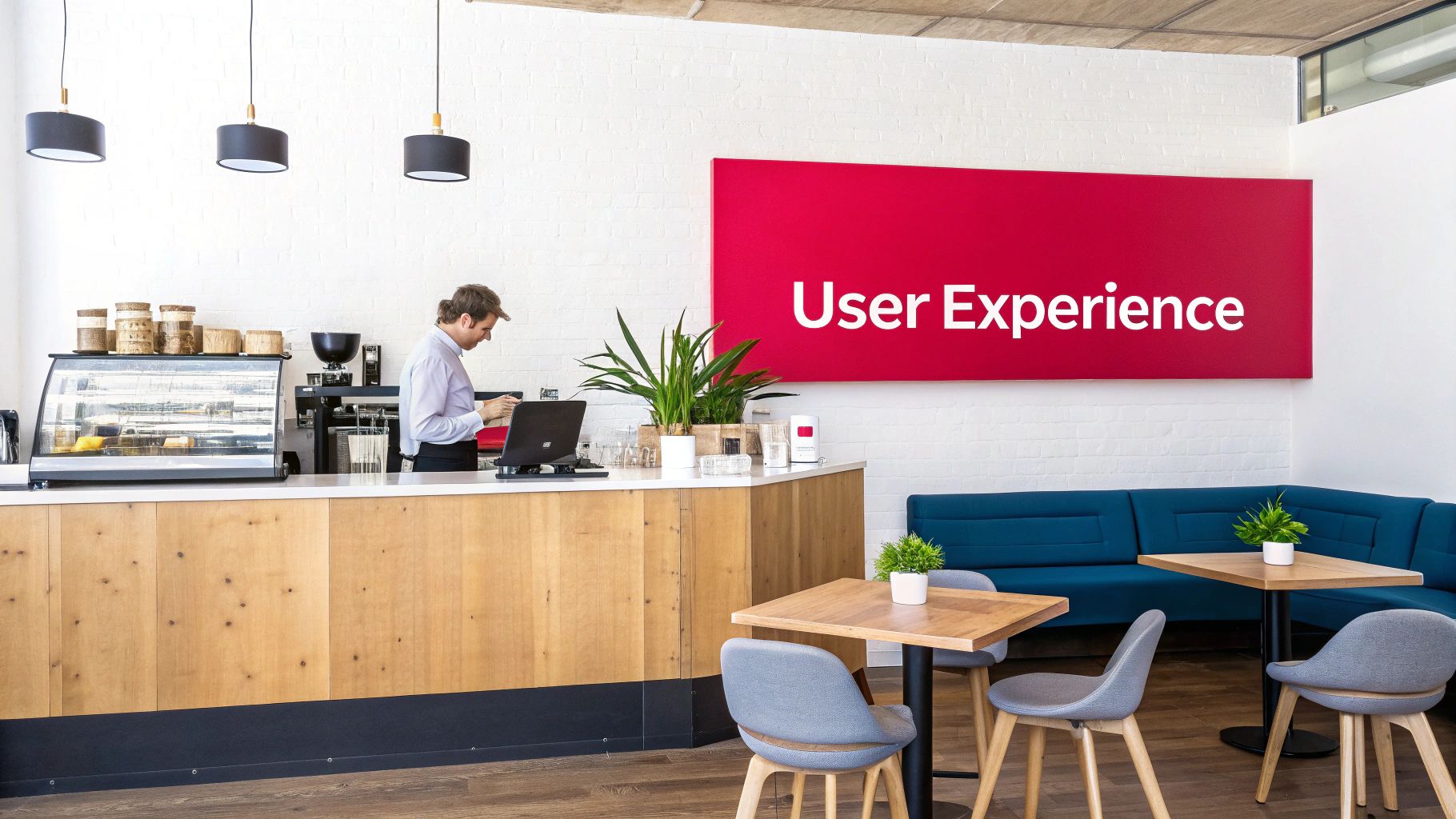
Think of it like designing a great coffee shop. The coffee itself has to be good, of course, but that's just one piece of the puzzle. The experience is shaped by everything else: the comfortable seating, the logical way the queue is organised, the easy-to-read menu, and even the right playlist.
UX design is the deliberate process of planning all those little details so that every visitor has a positive, seamless visit.
In the digital world, this means anticipating what your users want to do and then building a clear, easy path for them to get it done. It’s about building a bridge between what your business needs to accomplish and what your customer actually wants.
More Than Just a Pretty Interface
A common mistake is thinking UX is just about making things look good. Whilst visuals are definitely part of the equation, the real work of UX design is strategic and functional. It’s about answering the tough questions that make or break a product:
- Is it useful? Does your app or website actually solve a real problem for someone?
- Is it usable? Can people figure out how to use it without getting frustrated?
- Is it desirable? Is the experience compelling enough that they'll want to come back?
- Is it accessible? Can people with different abilities use it effectively?
By focusing on these pillars, a UX designer’s job is to turn complicated systems into simple, human-first solutions. It’s about making technology work for people, not the other way around.
To understand how these pieces fit together, let’s look at the key elements that make up a total user experience.
The Core Components of User Experience
| Component | What It Means for the User |
|---|---|
| Usefulness | "This product helps me solve a problem or achieve a goal." |
| Usability | "I can navigate this website easily and find what I need without confusion." |
| Desirability | "I enjoy using this app; the design and branding make me feel good." |
| Findability | "It's simple to locate the specific information or feature I'm looking for." |
| Accessibility | "I can use this product effectively, regardless of my physical or cognitive abilities." |
| Credibility | "I trust this company and feel confident that my information is secure." |
These components work together to build a strong, positive connection between a user and your brand.
User experience encompasses all aspects of the end-user’s interaction with the company, its services, and its products. It’s not just about what is on the screen; it’s about every single touchpoint that contributes to the customer’s journey.
Ultimately, great UX design is invisible. When it works, you don't even notice it—the product just feels right. This sense of effortlessness builds trust, encourages loyalty, and is a direct driver of business growth.
A skilled partner like Grassroots Creative Agency crafts these seamless digital experiences, ensuring every interaction strengthens your customer relationships and supports your business objectives. By investing in how your audience feels, you are directly investing in your success.
The Core Principles of Great UX
Great user experience isn't something that just happens. It’s a deliberate craft, built on a foundation of core principles that go way beyond how something looks. To really get what user experience design is, you have to think about the psychology behind how people interact with technology. These aren't just abstract ideas; they're the practical rules of the road that turn a decent product into one people can't live without.
At its heart, great UX makes a simple promise to the user: we respect your time and your effort. It means every tap, scroll, and click feels natural and makes sense. When you weave these principles into your products, people don't just get a task done—they feel like you get them. That's the kind of connection that builds real loyalty and grows a business for the long haul.
Clarity: Make it Obvious
The first and most important rule is clarity. A person should land on your site or open your app and instantly know what it is and what they can do. If they have to spend even a few seconds trying to figure out a weird icon, confusing language, or a bizarre layout, they're gone. Clarity means every single element has a clear, undeniable purpose.
Think about a well-designed road sign. It uses simple, universal symbols and just a few words to get its message across in a split second, so drivers can make a decision without hesitation. Your digital product needs to do the exact same thing—guide people toward their goal without making them think twice.
Efficiency: Respect Their Time
Right on the heels of clarity is efficiency. How fast can someone get from point A to point B? An efficient design cuts out every unnecessary step, click, and mental hurdle. You're essentially creating the straightest, smoothest path from what a user wants to do to getting it done.
A perfect example is the one-click checkout on an e-commerce site. It strips away all the extra forms and pages, showing a deep respect for the user's time and, in turn, making it way more likely they'll actually buy something. Every second you save your user is a little deposit in the bank of customer satisfaction.
Great UX design is about making the complex simple and the confusing clear. It empowers users by removing friction, allowing them to achieve their goals with confidence and speed.
Consistency: Build Trust Through Familiarity
Consistency is what makes an experience feel reliable and trustworthy. People shouldn't have to learn a whole new set of rules just because they switched from your website to your mobile app. When you use the same design patterns, colours, words, and button styles everywhere, you create an environment that feels predictable.
This predictability is huge because it lowers the mental effort required from the user. They can take what they learned on one page and apply it to the next. The best brands are masters at this; their logo, colour palette, and interactive elements are instantly familiar on any platform, creating a single, dependable brand experience.
Feedback: Close the Loop
Finally, a great experience always gives feedback. Users need confirmation that their actions actually did something. This can be as simple as a button changing colour when you press it, a loading spinner when something is processing, or a clear "Success!" message after they submit a form.
Without feedback, people are left wondering. Did my payment go through? Was that message sent? By providing instant, clear responses, you close that loop of uncertainty. It makes the entire interaction feel responsive, alive, and trustworthy.
This screenshot from Poster.ly, a social media tool we built at Grassroots, puts these principles into practice.
The interface is clean and uncluttered (clarity), and the most important actions like "Create design" are front and centre (efficiency). The branding and interactive elements are used throughout the tool (consistency), and it provides immediate visual cues as you build your content (feedback). All four principles work together to create an experience that just works.
Mapping the End-to-End UX Design Process
Taking a great idea and turning it into a polished, user-friendly product isn't about luck or a single stroke of genius. It’s a journey. The user experience design process is a deliberate roadmap that guides a concept from that initial spark all the way to a fully realised digital tool that people actually enjoy using.
Think of it like building a custom home. You wouldn’t just show up with a pile of bricks and start building. You’d first sit down with the family to understand their lifestyle, needs, and daily routines. Then, an architect would draw up detailed blueprints, and you’d probably walk through a model before construction even began. UX design follows a very similar, logical progression to make sure the final product is both useful and a pleasure to interact with.
This structured path is what makes UX design so effective. It’s a discipline rooted in empathy and practical problem-solving, where each phase methodically builds on the last.
Stage 1: User Research
It all starts with listening. The entire process kicks off not with pixels or code, but with deep understanding. User research is the bedrock of UX, where designers become detectives, digging for insights about the people who will ultimately use the product. The goal here is to get past our own assumptions and uncover real human behaviours, needs, and frustrations.
This involves a mix of techniques to get the full story. A designer might conduct one-on-one interviews, send out targeted surveys, or simply watch people use similar products in their natural environment. The information we gather here is pure gold; it fuels every single decision that comes next.
Without solid user research, you’re just designing in the dark. You might create something beautiful and technically flawless, but if it doesn't solve a real-world problem for your audience, it’s already failed.
From this research, designers create crucial documents like user personas—vivid, fictional characters that represent key user groups—and customer journey maps. A well-made map helps everyone visualise the entire experience from the customer's point of view, pinpointing opportunities for improvement. You can see exactly what that involves in our guide on how to create a customer journey map.
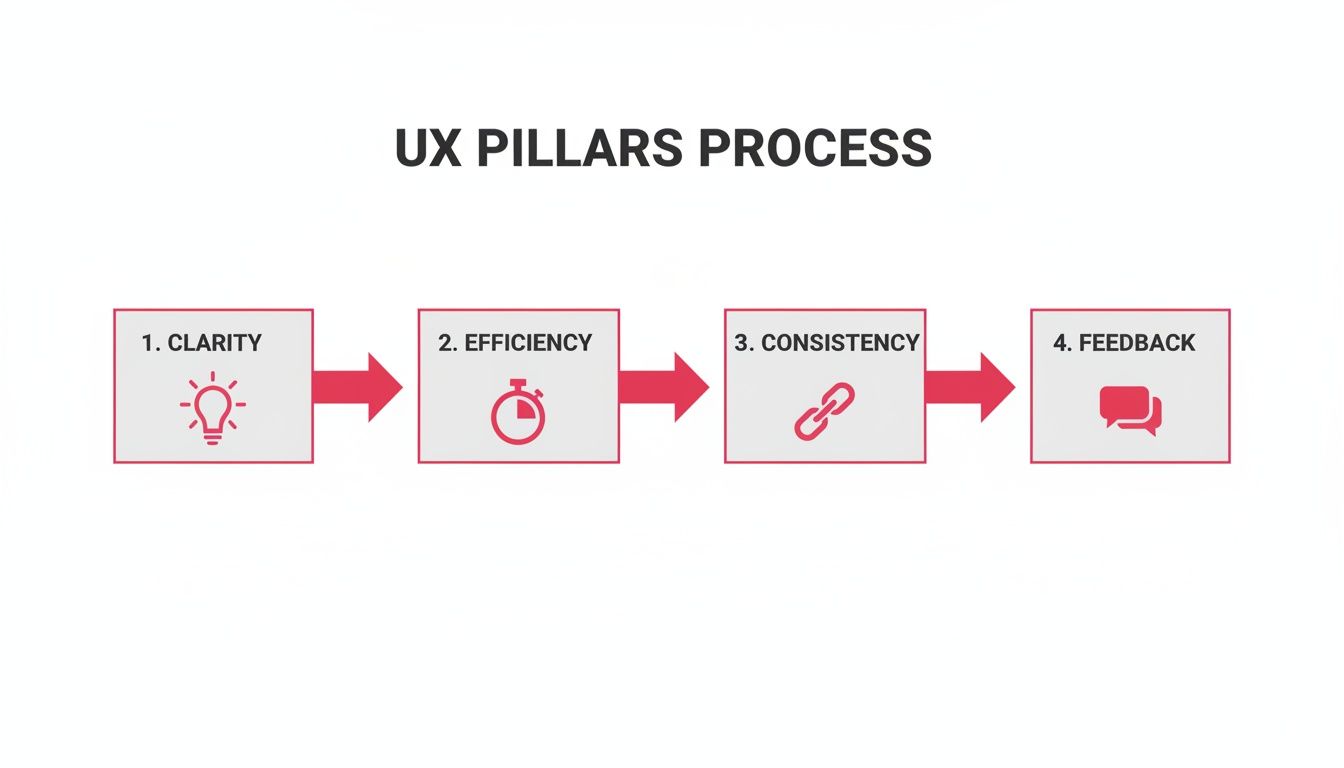
The diagram above lays out the four pillars that support a great UX process. By focusing on Clarity, Efficiency, Consistency, and Feedback, we ensure the final experience feels intuitive and supportive from start to finish.
Stage 2: Information Architecture
Once you know who you’re designing for, the next question is how to organise everything for them. This is Information Architecture (IA), and it's all about structuring the content and features of a website or app so that it makes immediate sense. It’s about creating a logical flow so people can find what they need without having to think too hard.
Think of IA as the blueprint for your digital home. It decides where the "rooms" (pages) are and how you get from one to another. A strong IA means someone can move through your product intuitively, never feeling lost or frustrated.
Designers have a few trusty tools for getting the IA right:
- Card Sorting: This is a fantastic technique where you ask actual users to group topics into categories that feel natural to them. It's a direct way to build a site structure that matches how your audience thinks.
- Sitemaps: These are visual diagrams that show all the pages and how they connect. It gives the whole team a clear, high-level overview of the product’s skeleton.
Good IA is the invisible backbone of a great user experience. It turns a jumble of features into a coherent, easy-to-navigate system.
Stage 3: Wireframing and Prototyping
With a solid structure defined, it's time to start sketching out the screens. This phase starts with wireframing, where we create simple, low-fidelity layouts. These are the architectural blueprints of UX; they show where elements like buttons, text, and images will go, but without any distracting colours, fonts, or graphics.
The beauty of wireframes is their simplicity. They force the team to focus purely on layout, functionality, and user flow. It's an incredibly fast and cheap way to experiment with different arrangements and make big decisions early on.
Once the wireframes get the green light, we move on to prototyping. Prototypes are interactive, clickable models that simulate the final product. They can be anything from a basic mock-up to a high-fidelity version that looks and feels almost real. Prototyping is what lets the team, stakeholders, and even users "walk through" the experience before a single line of code is written.
Stage 4: User Testing
Finally, the moment of truth. User testing is where we put our interactive prototype in front of real people and watch what happens. It's the digital equivalent of that final walkthrough in our new house, checking that all the taps work and the light switches are in the right places.
During a testing session, we'll ask users to complete a few key tasks. As they do, a designer observes their actions, listens to their thought process, and carefully notes any points of confusion or frustration.
This feedback is priceless. It shines a bright light on usability problems the design team was too close to see and provides a clear, actionable list for what to fix. Testing isn't a one-and-done deal; it's a cycle. We take the feedback, refine the prototype, and test again. This loop of testing and refining is what separates good UX from truly great UX.
UX vs. UI: Demystifying the Key Difference
It’s one of the most common points of confusion in the digital design world. The terms User Experience (UX) and User Interface (UI) are often thrown around interchangeably, but they represent two very different—though deeply connected—disciplines. Getting this distinction right is the key to understanding what makes a product truly great.
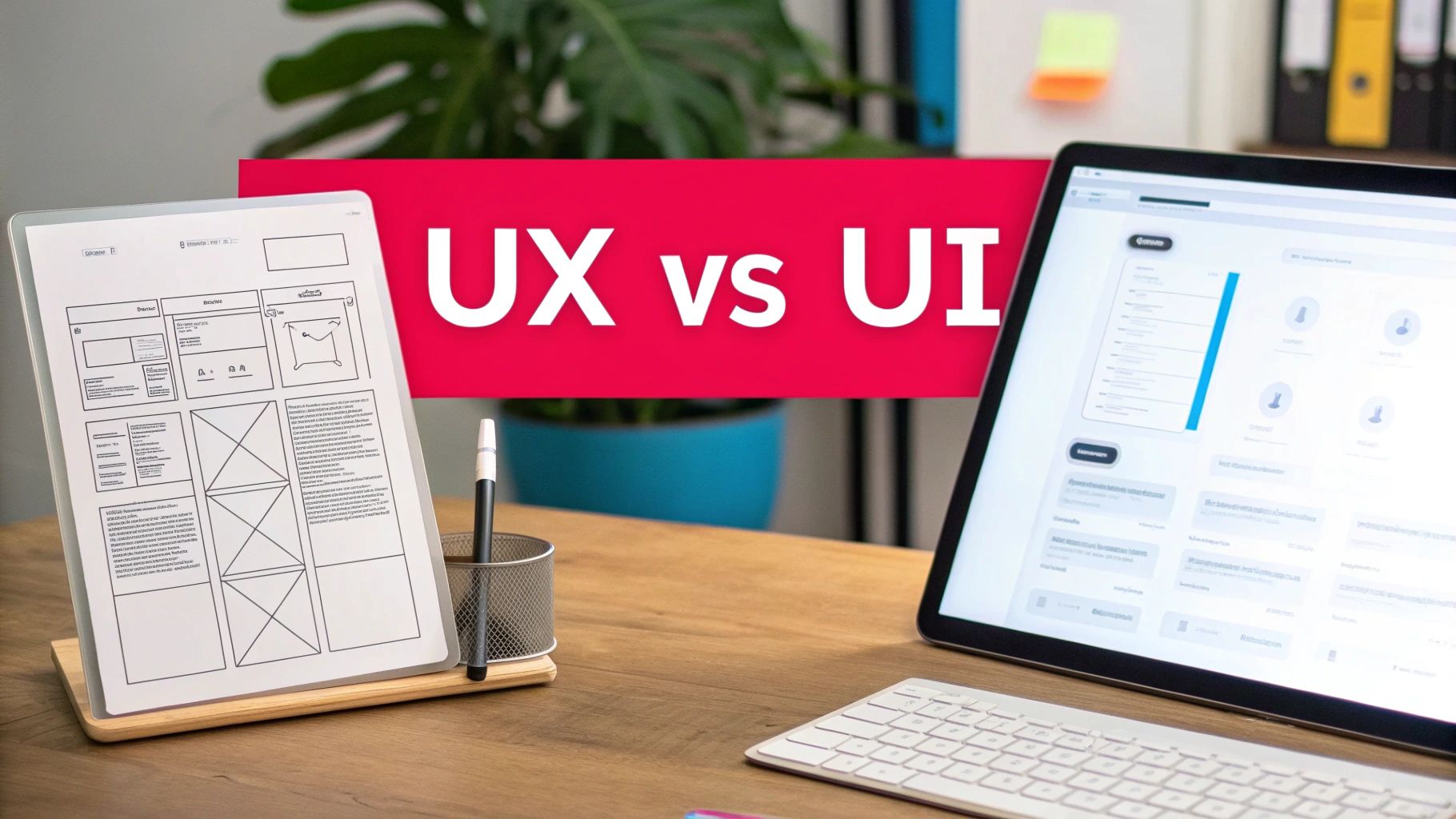
Let's try a simple analogy: building and driving a car.
UX is the entire driving experience. It’s how the seats feel on a long road trip, the intuitive placement of the gear stick, the smooth way the car handles a tight corner, and the sense of security you get from responsive brakes. It's the complete journey and how it makes you feel from the moment you get in until you reach your destination.
On the other hand, UI is the dashboard and the controls. It's the elegant design of the speedometer, the satisfying click of the buttons on the steering wheel, the crisp font on the navigation screen, and the colour of the ambient lighting. The UI is everything you see, touch, and directly interact with.
Both are absolutely critical. A car with a stunning dashboard but a terrible, bumpy ride offers a poor experience. Likewise, a mechanically flawless car with a confusing, ugly dashboard is just frustrating to use. They are two sides of the same coin, working in harmony.
A Tale of Two Disciplines
At its core, the difference is all about focus. UX is analytical and strategic, obsessed with the user's overall journey to solve a problem. UI is graphical and aesthetic, concentrated on how the product's surfaces look and function.
“UX is focused on the user’s journey to solve a problem; UI is focused on how a product’s surfaces look and function.” — Ken Norton, Partner at Google Ventures
UX designers ask, "What's the most logical path for a user to accomplish their goal?" UI designers ask, "What's the most intuitive and visually pleasing way to present that path?" One is the skeleton; the other is the skin.
For instance, when building a social media scheduler like Posterly, the UX process involves mapping out the entire user flow: how someone signs up, connects their social accounts, creates a post, and schedules it. The UI process then takes that map and designs the actual screens—the colours, button styles, fonts, and icons that make the tool a pleasure to use.
UX Design vs UI Design at a Glance
To make it even clearer, this table breaks down the fundamental differences between the two, highlighting what each discipline brings to the table.
| Aspect | UX Design (The Journey) | UI Design (The Vehicle) |
|---|---|---|
| Primary Focus | The overall feeling and effectiveness of the entire experience. | The look, feel, and interactivity of the product's interface. |
| Main Goal | To make the product or service useful, usable, and logical. | To make the interface beautiful, intuitive, and visually engaging. |
| Core Questions | "How does the user flow from one step to the next?" "What are their pain points?" | "What colours and fonts best represent the brand?" "How do buttons look when clicked?" |
| Typical Deliverables | User personas, journey maps, wireframes, and interactive prototypes. | Style guides, high-fidelity mockups, and final graphic assets. |
| End Result | Drives user satisfaction, retention, and long-term loyalty. | Creates immediate attraction and establishes brand identity. |
Ultimately, whilst UI design creates that crucial first impression and visual spark, it's the underlying UX that determines if a user will stick around. A beautiful interface might attract someone, but a seamless and satisfying experience is what turns them into a loyal customer.
The Business Case for Investing in UX
Good design is good business. That simple truth is what elevates user experience from a creative expense to a powerful growth engine for any company. Smart leaders have stopped asking if they can afford to invest in UX; now, they're asking if they can afford not to.
Investing in a thoughtful user experience means tying design choices directly to the key performance indicators (KPIs) that actually matter.
When someone can navigate your website without a second thought, buy a product, or find the information they need in seconds, the impact on your bottom line is immediate. This isn't about some fuzzy concept of "delight"—it's about hard numbers and real results.
Boosting Conversions and Revenue
A smooth user journey is what turns a casual visitor into a paying customer. Every point of friction—a confusing checkout form, a page that takes too long to load, a vague call-to-action—is a wide-open exit door for a potential sale. Great UX systematically closes those doors.
It's a proven fact: companies that invest in UX see higher conversion rates. For instance, a well-designed checkout process can slash cart abandonment rates. Even small, incremental improvements add up to a more efficient sales funnel, which ultimately drives more revenue. If you want to dive deeper, we cover this in our guide to conversion rate optimisation best practices.
Enhancing Customer Loyalty and Retention
It costs far more to attract a new customer than to keep an existing one. That’s where great UX becomes one of your most powerful retention tools. When a customer has a positive, frustration-free experience, they don't just come back—they become your biggest fans.
This builds incredible long-term value:
- Increased Customer Lifetime Value (CLV): Happy customers simply spend more with you over time.
- Positive Word-of-Mouth: Satisfied users tell their friends, which is the best (and cheapest) marketing you can get.
- Stronger Brand Equity: A reputation for being easy and enjoyable to deal with becomes a core part of your brand identity.
This kind of loyalty creates a stable foundation for growth, making your business far more resilient.
A superior user experience doesn’t just satisfy customers; it creates loyalists. It turns a one-time transaction into a long-term relationship, which is the cornerstone of any successful business.
Reducing Operational Costs
Investing in UX upfront saves you a ton of money down the road. It’s that simple. A thoughtfully designed website or app naturally requires less customer support. When users can easily find answers and solve problems on their own, the number of support tickets, calls, and emails drops dramatically.
Better yet, the UX process itself—with all its prototyping and user testing—catches expensive design flaws before a single line of code is ever written. Fixing a problem in the design phase is exponentially cheaper than fixing it after launch. This proactive approach saves thousands in development headaches and ongoing maintenance costs.
A Competitive Advantage in the UAE Market
Here in the UAE, user experience has gone from a "nice-to-have" to a critical business driver. As the region’s digital economy booms, customers have become more sophisticated and their expectations have skyrocketed.
Research shows that digital transformation spending in the MENA region is projected to hit over USD 74 billion by 2026. A huge chunk of that investment is going directly into redesigning customer journeys. You can discover insights on the importance of UX in the Middle East to see just how big this trend is.
For any business in Dubai and the wider region, a superior user experience isn't just a feature—it's a fundamental competitive advantage. It's the key to standing out in a very crowded market.
Choosing the Right UX Design Partner

Understanding what user experience design is and seeing its value is one thing. The next step is finding the right partner to actually bring that vision to life. Whilst you could tackle UX improvements with your in-house team, working with a specialised agency like Grassroots Creative Agency brings an objective, expert perspective that’s incredibly hard to replicate on your own.
An external partner isn’t bogged down by internal politics or old habits. They come in with fresh eyes and a suite of advanced research tools, helping them spot user pain points you might be too close to the project to even notice. This impartial view is crucial for building a product that serves your real audience, not just your company’s internal assumptions.
Why a Local Partner Matters in the UAE
For businesses operating in the UAE, choosing a Dubai-based agency gives you a serious leg up. The local market has its own unique quirks and consumer expectations that a local team just gets. This is about more than just language and culture; it’s about a deep-seated understanding of the mobile-first behaviours and digital habits that define this region.
A Dubai agency knows how to design for this audience. They recognise the demand for lightning-fast load times, seamless mobile checkouts, and culturally relevant visuals that genuinely connect with local consumers. This kind of regional expertise makes sure your user experience feels authentic and effective, not like a cookie-cutter solution imported from another market.
Tying UX Directly to Business Outcomes
The real test of a great UX partner is their ability to connect design decisions to concrete business results. It’s not about making something that just looks pretty; it's about building a powerful engine for growth. This is where the conversation shifts from fuzzy engagement metrics to the hard data that actually impacts your bottom line.
For a firm like Grassroots in Dubai, tying UX decisions directly to metrics—click-through rates on Meta and Google Ads landing pages, checkout completion in e-commerce, or lead form submissions in B2B funnels—is now standard practice.
Here in the UAE, UX design is increasingly judged by its direct impact on conversions, retention, and customer lifetime value. It's no surprise the global UX services market is projected to skyrocket from USD 8.8 billion in 2026 to USD 77.18 billion by 2034, a surge driven entirely by this focus on measurable results. You can read more about how mobile app trends are designing for conversion and engagement.
A strategic partner makes sure UX is a core piece of your entire digital strategy, not an afterthought. For instance, our work as a website development company embeds deep UX principles from the very beginning, ensuring every site we build is engineered for performance from day one. When you choose the right partner, you’re not just buying a service—you’re investing in a clear, measurable path to hitting your business goals.
Your Top UX Design Questions Answered
If you're a business owner or marketer, you've probably got some practical questions about UX design. Let's get into the nitty-gritty and clear things up so you can feel confident about your next steps.
How Much Does Professional UX Design Cost?
This is the big one, isn't it? The honest answer is: it depends entirely on the scope and complexity of the project. A quick audit of your current website might cost a few thousand pounds, while a full-blown app redesign from the ground up will be a much larger investment.
Here at Grassroots, we don’t do one-size-fits-all pricing. We put together a custom quote based on your specific business goals, making sure every pound you invest is tied to a clear, measurable return.
Can I Just Do UX Design Myself for My Small Business?
It’s tempting, I get it. With tools like Poster.ly out there, basic design feels more accessible than ever. But here’s the thing: professional UX isn't just about making things look nice. It’s about bringing in a trained, unbiased eye and formal research methods that are almost impossible to replicate on your own.
A UX expert is trained to spot the user pain points you're too close to see. That insight saves you a ton of time and money down the road by making sure you build the right thing from day one. Even a single consultation can often uncover quick wins that deliver immediate value by focusing on strategic user journeys that actually drive sales, not just aesthetics.
An investment in understanding your users is never a waste. Professional UX design isn't a cost—it's a method for reducing risk and increasing the chances of product success by aligning your business goals with customer needs.
How Long Does a Typical UX Design Process Take?
The timeline for a UX project can range from a couple of weeks to several months. It all comes down to how deep we need to go.
Here’s a rough guide to give you an idea:
- A Small Tweak: Optimising a single landing page or fixing a clunky checkout process might take 2-4 weeks.
- A New Feature: Designing and integrating a significant new feature for your app could be a 1-3 month job.
- The Whole Enchilada: Building a complex website or mobile app from scratch? You're likely looking at 3-6 months or more.
What really shapes the final timeline is the amount of research needed, the complexity of the user flows we're creating, and how much testing and refinement it takes to get everything just right.
Ready to build an experience that converts and retains customers? Grassroots Creative Agency specialises in crafting user-centric digital solutions that drive measurable growth. Learn more about our UX-driven approach at https://grassrootscreativeagency.com.