
Ever found yourself scrambling at 5 p.m. to find something, anything, to post on Instagram? We’ve all been there. This is where a social media scheduler comes in, and it’s less of a tool and more of a total game-changer for your marketing.
At its core, a social media scheduler is a piece of software that lets you queue up content to be published automatically across platforms like Instagram, Facebook, and LinkedIn. But thinking of it just as an auto-poster is like calling a smartphone just a phone. It’s actually your command centre for building a consistent, professional, and strategic online presence. It turns social media from a reactive, daily chore into a proactive, thoughtful operation. Our own product, Poster.ly, is designed to do exactly this.
Your Always-On Digital Marketing Assistant
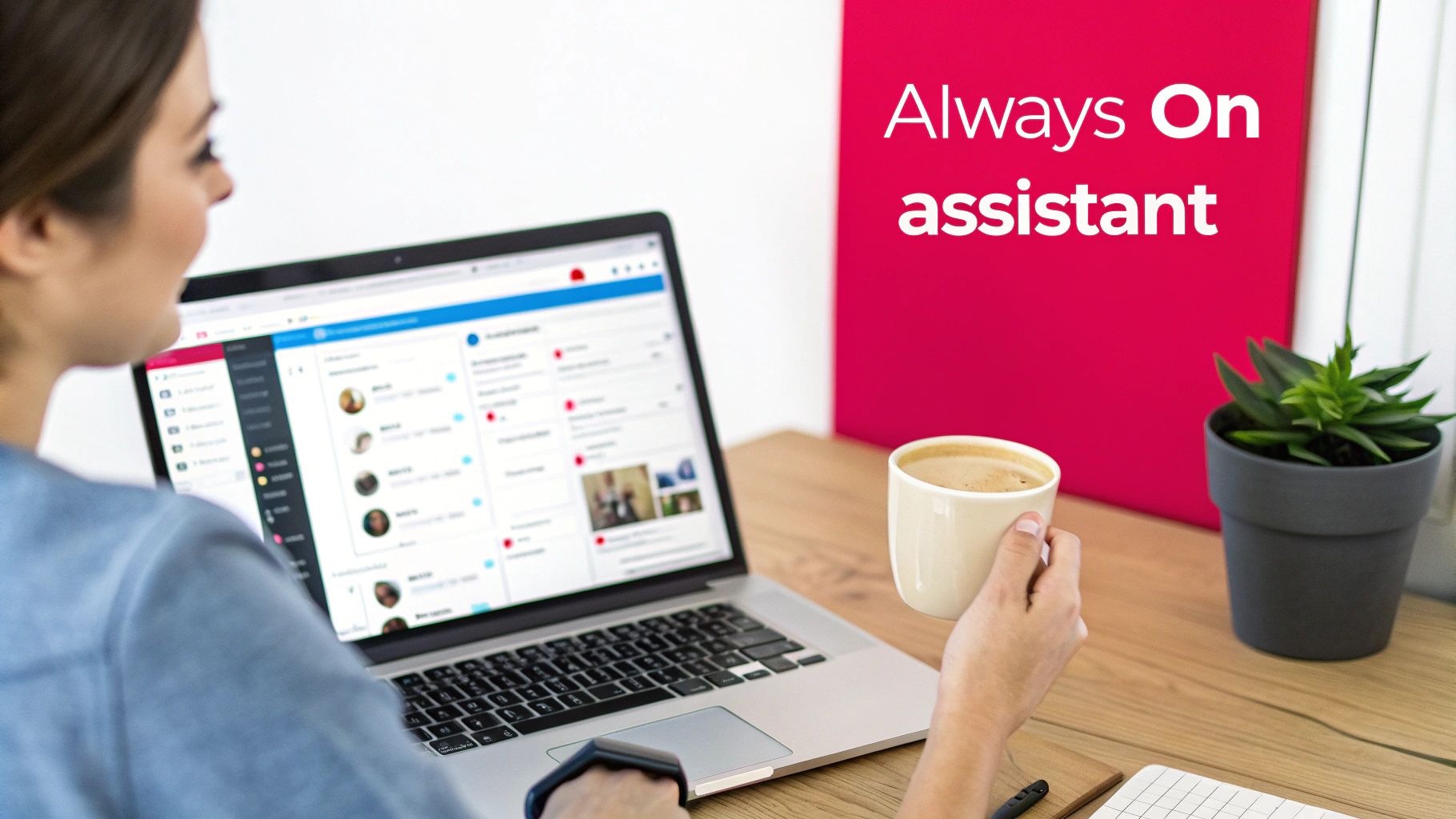
Imagine trying to run a café that only opens whenever you feel like making coffee. You’d miss the morning rush, the lunchtime crowd, and your sales would be all over the place. Posting on social media manually is pretty much the same thing—you post when you have a spare moment, not necessarily when your audience is online and ready to listen.
A social media scheduler is like having a reliable manager who ensures your digital shopfront is always open for business, 24/7. It keeps your brand’s online presence active and professional, even when you're sleeping or busy with a dozen other things. For start-ups and small businesses in a crowded market like the UAE, this consistency is non-negotiable. It builds trust and keeps you top-of-mind.
More Than Just Hitting 'Publish'
While scheduling is the main event, these platforms are so much more. They are where you shape your brand's digital voice. You can plan your content calendar weeks or even months ahead, weaving a cohesive story instead of just throwing random posts out into the world. This foresight stops the frantic, last-minute content creation that almost always results in posts that feel rushed or off-brand.
Instead of just reacting to your day, you start setting the agenda. A scheduler helps you:
- Maintain a Consistent Brand Voice: Every post, from a big campaign launch to a simple daily update, feels like it came from the same brand personality.
- Post at the Perfect Moment: Most good schedulers analyse when your followers are most active and suggest the optimal times to post for maximum views and interaction.
- Work Smarter, Not Harder: By batch-creating and scheduling your content, you reclaim huge chunks of your day. That’s more time for engaging with comments, analysing results, and actually growing the business.
Let’s quickly compare the two approaches. It really highlights the difference a scheduler can make to your workflow and overall strategy.
Manual Posting vs Automated Scheduling at a Glance
| Aspect | Manual Posting | Using a Social Media Scheduler |
|---|---|---|
| Time Commitment | High; requires daily, real-time attention across all platforms. | Low; allows for batching content creation and scheduling in advance. |
| Consistency | Often sporadic, dependent on daily workload and availability. | High; posts are published consistently at predetermined optimal times. |
| Strategic Planning | Difficult; focus is on immediate, day-to-day posting. | Easy; enables long-term content planning and campaign execution. |
| Prime-Time Posting | Hit-or-miss; limited to your own working hours. | Guaranteed; posts go live when the audience is most active, even outside of office hours. |
| Cross-Platform Management | Inefficient; requires logging in and out of multiple accounts to post the same content. | Centralised; manage and customise posts for all platforms from one dashboard. |
As you can see, the shift is from being a slave to the social media clock to becoming the master of your content calendar.
A social media scheduler isn't just a convenience; it's a strategic asset. It allows a small team to execute a content strategy with the consistency and professionalism of a much larger organisation, levelling the playing field.
For instance, an intuitive scheduler like Poster.ly, developed by the team at Grassroots Creative Agency, is designed to make this kind of strategic planning simple for everyone. It provides the framework you need to leave chaotic posting behind and step into structured, high-impact social media marketing. By handling all the logistics, a good social media scheduler frees you up to focus on what really moves the needle: creating fantastic content and building genuine connections with your audience.
The Real-World Benefits of a Scheduling Tool
Let's be honest, using a social media scheduler is about so much more than just convenience. It’s a complete game-changer for your entire digital marketing strategy. The most obvious win? The sheer amount of time you get back. Gone are the days of the daily scramble to find something to post. Instead, you can block out a single chunk of time and get your posts for the week—or even the entire month—lined up and ready to go.
This simple change shifts your social media from a reactive, often stressful, chore into a proactive, strategic part of your business. On average, social media managers who use a scheduler save up to six hours a week. Imagine what you could do with that extra time: actually talk to your followers, dig into your performance data, or come up with your next brilliant campaign idea.
The Power of Content Batching
One of the best habits a scheduler helps you build is content batching. It’s exactly what it sounds like: creating a whole load of content in one focused session. Think of it as meal prepping for your social media. You do all the chopping and cooking upfront, and for the rest of the week, everything is ready to go without any last-minute panic.
Batching your content lets your team get into a creative groove, producing better, more cohesive work without being constantly interrupted by the next deadline. It’s also a massive help in preventing burnout, which is a real problem for anyone trying to keep up with multiple platforms day in and day out.
When you batch and schedule your content, you free your team from the tyranny of the daily content grind. That freed-up mental space is where real creativity and strategic thinking happen, leading to campaigns that truly land with your audience.
For example, you could get an entire campaign for a UAE National Day sale sorted in a single afternoon. All the posts, stories, and promos can be created, approved, and scheduled to go live at the perfect times throughout the sales period. This way, nothing gets missed and your messaging is perfectly timed for maximum impact—even while your team is enjoying the public holiday.
Ensuring Brand Consistency and Quality
Consistency is everything when it comes to building a strong brand. A social media scheduler essentially acts as your brand’s quality control manager, making sure every single post is polished, on-brand, and fits your wider strategy. When you aren't rushing to post something right now, you have the breathing room to proofread captions, double-check that your images look great, and make sure your tone of voice is spot on.
This level of consistency builds trust and recognition with your audience. They start to learn what to expect from you, which helps build a much stronger and more loyal community.
This is especially vital for businesses with customers in different time zones. A scheduler lets you keep up a consistent presence and engage with your global audience when they’re online, not just when you are. Your brand stays active and responsive 24/7, creating a seamless experience for customers, wherever they might be. There are many fantastic social media tools out there that can help you nail this.
Elevating Your Strategic Impact
At the end of the day, a social media scheduler is a tool that empowers you to think bigger. It clears away the logistical headaches so you can focus on what really matters.
- Flawless Campaign Execution: You can plan and roll out complex, multi-platform campaigns with total precision. Every single piece of the puzzle goes live exactly when it's supposed to.
- Smarter, Data-Driven Decisions: With the day-to-day scheduling handled, you have more time to get into your analytics. You can see what's working, what's not, and tweak your strategy based on hard data.
- Smoother Team Collaboration: Schedulers with approval features, like Poster.ly, make teamwork a breeze. Everyone can collaborate on content, leave feedback, and sign off on posts in one organised place, killing those chaotic email chains for good.
By automating the repetitive stuff, you turn your social media from a simple broadcasting channel into a powerful engine for business growth, one that drives real results like better engagement, more leads, and a stronger brand reputation.
Essential Features Every Great Scheduler Should Have
Jumping into the world of social media schedulers can feel a bit overwhelming. With so many options out there, it’s easy to get lost in a sea of features that sound impressive but don’t actually help you get the job done. To cut through the noise, you need to focus on what really matters. Think of it less like buying a piece of software and more like hiring a super-efficient digital assistant; you want one that nails the basics before you even think about the fancy tricks.
At its heart, a great social media scheduler has to do more than just post things for you later. The absolute foundation of any decent tool is a visual content calendar. This isn't just a list of upcoming posts; it should be an interactive, drag-and-drop command centre for your entire content strategy. Being able to see your whole month at a glance helps you spot gaps, balance your content mix, and shuffle campaigns around without any fuss. Without this bird's-eye view, you’re just planning post-by-post, which kind of defeats the whole purpose.
This visual interface from a tool like Poster.ly shows how a clean, drag-and-drop calendar gives you a clear overview of your entire content plan.
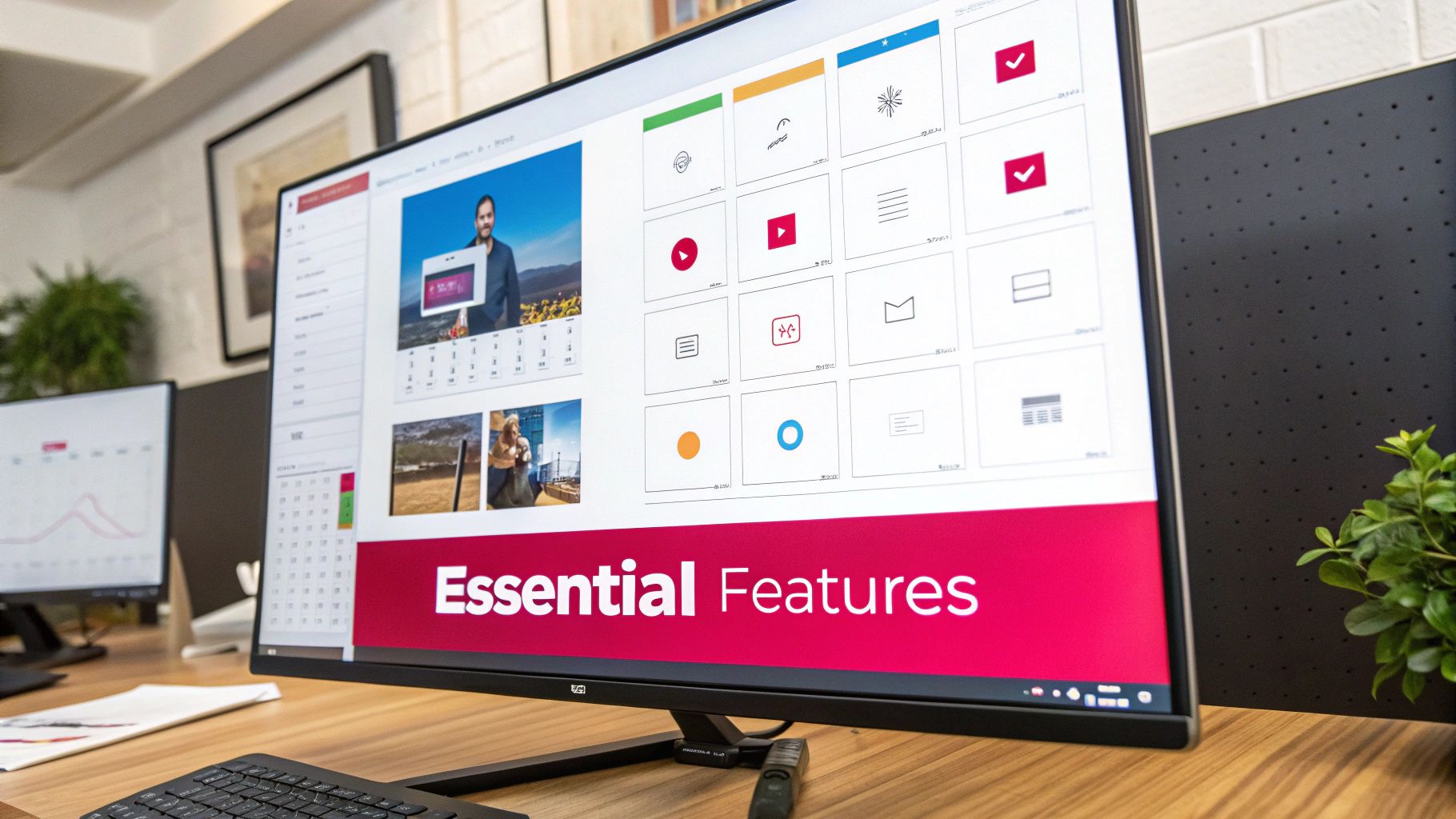
The real takeaway here is that planning visually leads to better execution, helping you keep your content flow consistent and well-paced.
Core Functions for Daily Efficiency
Beyond the calendar, a few features are completely non-negotiable if you want to save time and scale up. These are the workhorse functions that will make a real, tangible difference day in and day out.
- Bulk Uploading: This is an absolute game-changer. Being able to upload and schedule dozens of posts from a single spreadsheet means you can knock out an entire month's content plan in one session. That frees you up for more important, creative work.
- Platform-Specific Customisation: A one-size-fits-all post just doesn't cut it anymore. A top-tier scheduler will let you write a core message and then easily tweak it for each platform—you can shorten it for X, add professional hashtags for LinkedIn, and choose the right video format for Instagram Reels, all from one screen.
- Media Library: Having one central spot to store all your approved images, videos, and brand assets is a must. It puts an end to the endless "where's that file?" hunt and makes sure your team is always using the correct, high-quality visuals.
These features are the bedrock of an efficient workflow, turning what used to be a tedious, manual process into a smooth operation.
Advanced Capabilities That Drive Growth
Once you have the fundamentals covered, the advanced features are what separate a good tool from a great one. These aren’t just about saving time; they're designed to actively improve your results and make teamwork seamless.
A truly effective social media scheduler doesn't just automate posting; it automates intelligence. It should provide insights and workflows that make your team smarter, faster, and more coordinated.
For example, a unified social inbox is a lifesaver. It pulls all your comments, DMs, and mentions from every single platform into one feed. This lets you manage all your community engagement without constantly logging in and out of different apps, ensuring no customer question or glowing comment ever gets missed.
Another brilliant feature is a built-in approval workflow. This is vital for agencies or any business where multiple people have a say. Team members can submit posts for review, and managers can approve, reject, or leave feedback right inside the tool. No more messy email chains or miscommunications—just a clear, accountable process from draft to publish.
Finally, look for a bit of AI-driven smarts. The best schedulers today use artificial intelligence to analyse when your audience is most active and give you optimal posting time recommendations. This data-backed advice ensures your content goes live at the exact moment it’s most likely to be seen and engaged with, taking all the guesswork out of maximising your reach. Platforms such as Poster.ly have done a great job of integrating these powerful features in a user-friendly way, offering a professional toolset that’s accessible even if you're just starting to build a more serious content strategy.
How to Choose the Right Scheduler for Your Business
Picking the right social media scheduler isn't about grabbing the one with the longest feature list. It’s about finding the tool that fits your business like a glove—your specific model, team size, and what you’re actually trying to achieve. The perfect scheduler for a fast-moving e-commerce brand will look completely different from what a B2B consultancy needs.
Ultimately, the right tool should feel a natural part of your workflow, not another piece of software you have to wrestle with every day. Let's break down how to choose based on the kind of business you run.
For Start-ups and Small Businesses
If you're a start-up or a small business, you're probably juggling a dozen different tasks. Your priorities are almost always going to be affordability, simplicity, and getting things done fast. You need a tool that helps you punch above your weight, creating a polished, consistent online presence without a massive learning curve or a scary price tag.
When you're looking at options, ask yourself these questions:
- Is it budget-friendly and can it grow with me? Look for plans that are flexible. A tool with a solid free or entry-level plan, like Poster.ly, is a huge plus because it lets you get your systems in place before you need to spend more.
- Can I figure it out quickly? You don’t have time for a week of training. A clean, intuitive interface with a simple drag-and-drop calendar isn't just nice to have; it's essential.
- Will it actually save me time? This is the whole point, right? Features like bulk scheduling and a central place to store all your images and videos are non-negotiable for freeing up your time to focus on growing the business.
For E-commerce Brands
For an e-commerce business, social media isn't just about brand awareness; it's a shopfront. Your scheduler needs to do more than just push out posts. It has to be an active part of your sales engine and connect seamlessly with your online shop.
Think about these points when you’re making a choice:
- Does it connect to my store? You absolutely need to look for direct integrations with platforms like Shopify and features like product tagging. The ability to create shoppable posts right from the scheduler can be a game-changer.
- Is it built for visual content? Platforms like Instagram and Pinterest are where e-commerce brands shine. Your tool must have strong visual planning features, like an Instagram grid preview, so you can see exactly how your feed will look.
- Can it keep up with a busy calendar? E-commerce means frequent posts—new products, flash sales, customer photos. Your scheduler needs to handle a high volume of content without getting sluggish or difficult to manage.
For B2B Companies
B2B marketing plays a different game altogether. The focus is on generating leads, building authority in your industry, and making professional connections. Your scheduler needs to reflect that, with powerful features for platforms like LinkedIn and analytics that show a clear line from social media activity to actual business leads.
For B2B brands, a social media scheduler is a lead-generation tool in disguise. Its value is measured not just in engagement, but in its ability to drive meaningful professional connections and conversations that convert.
Here are the critical questions B2B companies should be asking:
- How good is it with LinkedIn? You’ll want to check for specific features like the ability to target organic posts to certain audiences and schedule content to both company pages and personal profiles.
- Do the analytics tell me what I need to know? Likes and shares are fine, but you need more. The right tool will track the important stuff: click-through rates, lead conversions, and how much traffic is coming to your website from social channels.
- Can it help my team get involved? A fantastic feature for B2B is employee advocacy, where you can provide pre-approved posts for your team to share on their own networks. This massively boosts your reach and credibility.
Taking this kind of tailored approach ensures you invest in a social media scheduler that genuinely solves your problems and helps turn your social media into a real engine for growth.
Setting Up Your Scheduler for Maximum Impact
Picking the right social media scheduler is a great start, but the real work—and the real payoff—begins when you weave it into your daily routine. A powerful tool is only as good as its setup. Think of it like buying a top-of-the-range camera; you still need to learn the settings and frame your shots to get those stunning images.
This guide will walk you through the setup process, transforming your new software from a simple application into the command centre for your entire social media strategy. The goal is a smooth, logical workflow that takes you from a rough idea to a published post with absolute clarity.
Your Scheduler Implementation Checklist
To make this even easier, here’s a quick checklist to guide you through the initial setup. Following these steps will ensure you don’t miss anything crucial and build a solid foundation for your social media efforts.
| Step | Action Item | Key Consideration |
|---|---|---|
| 1. Connect Accounts | Securely link all social media profiles (Facebook, Instagram, LinkedIn, etc.). | Use the tool's official API connection to protect your login credentials. |
| 2. Set Permissions | Assign roles and access levels to each team member. | Who can draft? Who can approve? Who can schedule? Define this clearly. |
| 3. Define Workflow | Map out the entire content journey, from idea to final sign-off. | This prevents bottlenecks and keeps everyone on the same page. |
| 4. Build Calendar | Plot key dates, campaigns, and content themes for the next month. | A visual overview ensures a balanced, consistent posting schedule. |
| 5. Create Evergreen Library | Build a repository of timeless content that can be reused. | This fills gaps in your calendar and keeps your profiles active. |
| 6. Configure Analytics | Set up your dashboard to track key performance metrics from day one. | Focus on metrics that align with your business goals (e.g., engagement, clicks). |
Getting these steps right from the beginning saves you countless headaches down the road and sets your team up for a more organised, efficient, and effective social media presence.
Laying the Foundation
First things first, let's get the basics sorted. This foundational work ensures your scheduler can actually talk to your social platforms and that everyone on your team knows exactly what they're supposed to do. If you rush this part, it’s like building a house on shaky ground—it’s bound to cause problems later on.
Start by securely connecting all your business’s social media profiles. Reputable schedulers use official, secure APIs (Application Programming Interfaces), so you never have to worry about your login details being compromised. Hook up everything—your Facebook page, Instagram profile, LinkedIn, TikTok, you name it.
Next, if you work with a team, configuring permissions is a must. Assign specific roles to each person. For example, a junior content creator might only have permission to draft posts, while a social media manager holds the keys to approve and schedule them. This creates a clear chain of command and, more importantly, prevents any accidental posts from going live.
Finally, map out your content workflow. Who brainstorms the ideas? Who writes the copy and creates the visuals? Who gives that final "looks good" before it goes out? Defining this process within your social media scheduler is essential for a smooth operation and is a cornerstone of any effective social media content strategy.
Building Your Content Engine
With the technical nuts and bolts in place, it’s time for the fun part: turning your scheduler into a dynamic content hub. This is where you shift from setup to strategy, creating a system that works for you around the clock.
This decision tree can help you picture which scheduler features matter most, depending on whether you're a start-up, an e-commerce brand, or a B2B company.
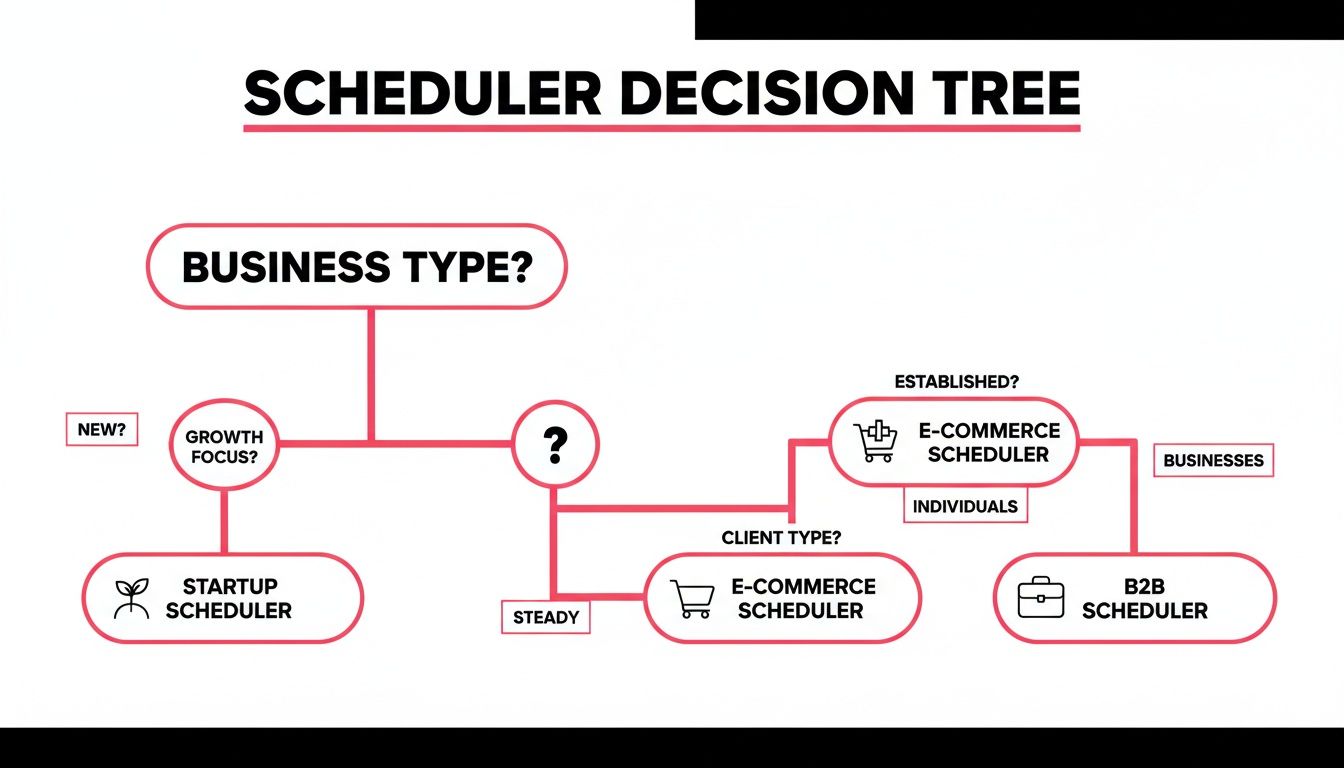
As you can see, different business needs naturally lead you to prioritise specific features, making sure you end up with a tool that genuinely helps you hit your goals.
Your scheduler should be more than a holding pen for upcoming posts; it should be an active library of your brand's best content, ready to deploy whenever you need it most.
Start by creating your first content calendar. Plot out key dates, campaigns, and content themes for the upcoming month. A visual overview is fantastic for maintaining a balanced and consistent posting rhythm. A pro tip is to build a library of evergreen content—posts that are always relevant. These are perfect for filling any gaps in your calendar, ensuring your profiles never go dark. A post explaining your company's mission or a quick "how-to" tip can easily be reused multiple times a year.
And last but certainly not least, set up your analytics dashboards from day one. Most schedulers, including tools like Poster.ly, offer some great reporting features. Customise your dashboard to track the metrics that actually matter to your business, like engagement rate, click-throughs, and audience growth. This way, you’re gathering performance data from the second your first scheduled post goes live, allowing you to make smarter, data-backed decisions from the get-go.
Measuring Success and Optimising Your Strategy
A social media scheduler is so much more than a tool for saving time. Think of it as your analytics command centre, turning a flood of raw data into genuinely smart marketing decisions. The real goal here isn't just to post consistently; it's to get better results over time, and your scheduler's analytics are the key.
By looking past the simple "vanity metrics" like likes and followers, you can start focusing on what actually drives your business forward. The data tells you everything: what content your audience loves, the absolute best times to post, and which platforms are giving you the most bang for your buck.
Identifying Your Key Performance Indicators
Before you can measure success, you have to define what it looks like for your business. That's where Key Performance Indicators (KPIs) come in. These are the specific, measurable metrics that connect your social media activity back to your main business goals, and a good scheduler makes them easy to track.
Here are the essential KPIs you should be watching:
- Engagement Rate: This is all about how involved your audience is. It’s a direct reflection of how relevant and high-quality your content is.
- Click-Through Rate (CTR): This tells you how many people clicked a link in your post. It’s absolutely vital if you're trying to drive traffic to your website or a specific landing page.
- Conversion Rate: This tracks who took the action you wanted them to, whether it was buying a product, downloading a guide, or signing up for your newsletter.
- Audience Growth: This simply monitors how quickly you're gaining new followers, giving you a clear picture of your brand's expanding reach.
Getting a handle on these metrics is fundamental. For a much deeper look, exploring comprehensive marketing campaign tracking will give you a complete view of your digital footprint.
Turning Insights into Action
Data is useless if you don't do anything with it. The reports from your scheduler provide the hard evidence you need to fine-tune your strategy—a process we live and breathe here at Grassroots Creative Agency. For example, if you see that your video content consistently gets a higher engagement rate, that's a massive clue to start producing more of it.
"Data-driven reporting isn’t about generating charts; it’s about telling the story of your brand's growth. A scheduler provides the chapters, showing what works, what doesn't, and where the next opportunity lies."
This data-first mindset is particularly important in fast-moving markets. Take the UAE, where the booming digital economy is driving a huge uptake in social media scheduling tools. The market for related social media monitoring tools here stood at USD 97.08 million and is on a steep upward curve. In a competitive environment like this, tools such as Poster.ly are essential for managing diverse audiences and delivering transparent, analytics-backed results. You can read more about MEA social media monitoring market trends to see just how quickly things are changing.
Use your scheduler to run simple A/B tests. Try out different headlines, images, or even post times. By comparing what works best, you can make small tweaks that add up to huge gains over time. This constant cycle of measuring, learning, and optimising is what turns your social media from a guessing game into a reliable engine for growth.
Got Questions? We've Got Answers
Stepping into the world of social media schedulers often brings up a few questions. We get it. To help you feel confident you're making the right move, we've answered some of the most common queries we hear from businesses just like yours.
Will Using a Scheduler Tank My Engagement?
Absolutely not, provided you're smart about it. Social media platforms fully approve reputable schedulers, so you won't get hit with any technical penalties. The real trick is to avoid a "set it and forget it" mindset. Think of it as a partnership: your scheduler handles the consistent posting, freeing you up for genuine, in-the-moment interaction.
Use all that time you've saved to dive into the comments, reply to DMs, and join conversations happening around your brand. Many of the best tools today, including our own Poster.ly, even have built-in inboxes to help you manage all that engagement from one central spot. It's the perfect way to stay connected without missing a beat.
What's This Going to Cost Me?
The price tag on a scheduler can swing quite a bit, depending on what you need. It usually comes down to how many social accounts you're connecting, the size of your team, and the power of the features you're after. You'll find free plans out there, but they're often very restrictive, maybe limiting you to just a handful of scheduled posts a month.
For most small businesses, a solid paid plan will start somewhere in the £10–£20 per month range. That number climbs for enterprise-grade platforms packed with advanced analytics, collaboration tools for big teams, and social listening features. Our best advice? Always look for a free trial. There's no better way to get a feel for a tool and see if it's right for you before you commit.
A good social media scheduler is an investment, not an expense. The right one pays for itself many times over in saved time, sharper strategy, and better results. It automates the grunt work so you can focus on what really matters.
Is it Better to Post Directly on the Platform or Use a Tool?
This is a classic debate, but honestly, modern schedulers have made it a non-issue. Years ago, there was a whisper that platforms favoured 'native' posts, but today's tools are so well-integrated that any difference is practically zero.
A top-tier scheduler lets you customise everything for each specific network. You can tweak captions, add location tags, tag other accounts, and format your content perfectly for Instagram, LinkedIn, or TikTok—just like you would if you were posting directly. When you weigh the massive time savings and strategic control you gain against any tiny, unproven benefit of native posting, the choice is clear. For any business serious about its social media, a scheduler is non-negotiable.
Ready to stop the social media scramble and start seeing real results? At Grassroots Creative Agency, we build smart, data-backed strategies that make brands stand out. Find out how Poster.ly, our intuitive social media scheduler, can give you back your time and amplify your impact.
Take the first step and explore our solutions today.